
- June 13, 2025
Let's take a short movie with an interchangeable-lens camera and create a cinematic look with focus work that makes use of the lens's bokeh! Part 2: About "Focus work"
In “Let’s shoot video with an interchangeable lens camera! All the basics and tips for shooting video“, and “Interchangeable lens camera is the way to go! Let’s take your videos to the next level! Take a look at the advantages, recommended shooting scenes and interchangeable lenses!“,we explained the points you should pay attention to when starting to shoot videos. In the first part, we also introduced the composition and direction to think about before starting to shoot, based on actual examples.
In this second part, we will not only delve deeper into focus work and techniques, but also touch on how to use TAMRON Lens Utility Mobile TM Ver.4.0, the proprietary software that has been mentioned many times within the article content.
We asked Takayuki Yagishita, the cameraman who directed this shoot, to give us a technical explanation of the work. In particular, he provided an in-depth explanation of the usability of the TAMRON Lens Utility Mobile Ver.4.0, which has been updated with new functions.
*Interviewer: TAMRON Editorial Department (hereinafter, Editorial Department)
Editorial Department: Last time, we asked video director Saki Matsumoto about the composition and direction of this film. In this second part, we will ask her about the technical aspects of the filming.
Please tell us about the convenience of TAMRON lenses and TAMRON’s proprietary software TAMRON Lens Utility Mobile Ver.4.0 that can be used with these lenses.
If possible, professionals will do a test shoot before shooting.
Yagishita: Yes. I usually use prime lenses for shooting, and in recent years I have rarely used TAMRON lenses, which are mainly zoom lenses, to shoot videos. For that reason, I tested the color and bokeh of the lens beforehand before shooting.
In addition, I also tested the functions of TAMRON Lens Utility Mobile Ver.4.0, which I used for the first time this time, in advance to check the feel of operation and how it works in combination with the lens I will actually be using. Maybe I’m just a bit paranoid, but if you understand before shooting whether a lens you’ve never seen before is better at getting closer or farther (the difference in performance between the close-up side and the infinity side), or if it’s a zoom lens, its breathing tendency, it makes it easier to design your shots and you don’t have to panic on the spot.
I felt the potential of using the TAMRON Lens Utility Mobile Ver.4.0 macro lens used in the title.
Editorial Department: Thank you. Now let’s talk about the actual filming. Director Matsumoto talked to us about the directing aspect of the opening title, but what was it like from the perspective of the filming side?
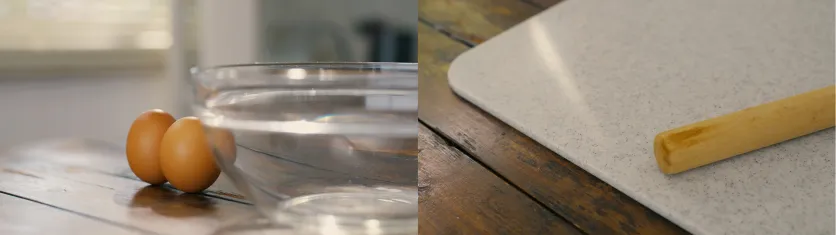
Yagishita: That was quite a challenge (laughs). However, it wasn’t so much about the focus, but rather about the lighting and how to prevent reflections, since the letters were written on the acrylic plate. If the light wasn’t shining on the acrylic plate, the letters wouldn’t be clearly visible, but the reflection would be reflected, which was a difficult condition, but in the end we managed to avoid this by using a black cloth to reflect the reflection.
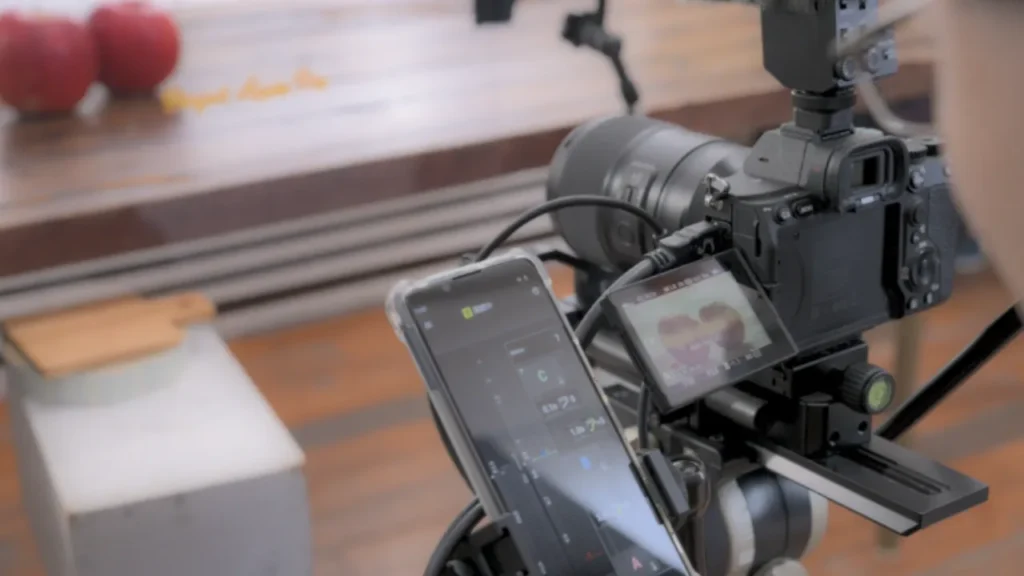
I think the camera operation was very smooth. Due to the distance from the acrylic plate, we shot with the TAMRON 90mm F/2.8 Di III MACRO VXD (Model F072) (hereafter referred to as 90mm F2.8 MACRO), and the focus was controlled with the TAMRON Lens Utility Mobile Ver.4.0. If you operate the focus ring by hand, it can shake even if you operate it carefully, so I don’t think it would have been possible to achieve the precise and accurate focus work shown in this example video.
Editorial Department: When taking close-up shots, you need to firmly secure the lens and camera to a sturdy tripod or equipment with a strong rigidity, otherwise even a slight shake caused by turning the focus ring will cause the image to move. This makes the viewers of the video distracted by the movement of the screen.
Yagishita: In particular, there were requests to “move a little faster” and “match the timing with the apple’s movement,” so you can operate it by simply tapping the smartphone screen. This was revolutionary. We could have tried using autofocus, but the behavior is often different when focusing from the front to the back and when focusing from the back to the front, so I think it would have been unnatural in this production.
Editorial Department: As Yagishita said, even if you use autofocus, it may not be timed as intended, or the speed of focus shifting may be different from what you imagined, so it seems difficult to adjust. In that respect, TAMRON Lens Utility Mobile Ver.4.0, which allows you to focus on any location by specifying the time, seems easy to use.
An unintentional, natural production hidden at the beginning
Yagishita: The first two shots before the title are a little ingenious. You can see that the light coming through the blinds is flickering a little. What do you think?
Editorial Department: I thought it was great that the refreshing natural light was coming in, giving the feeling that something is about to begin.
Yagishita: Actually, that’s a light that was brought in from outside and flickered intentionally. Of course, we were conscious of keeping it within the bounds of naturalness. A completely fixed composition would have made it look like a photograph, so we used a bit of staged lighting to make it look that way. I think this also fits into what Director Matsumoto meant by “worldview.”
TAMRON Lens Utility Mobile Ver.4.0 helps with accurate and precise focusing
Editorial Department: So that was your intention when you shot the photos. It’s very profound and instructive. Next is the scene where you cut the apple. Was this also shot with the 90mm F2.8 MACRO?
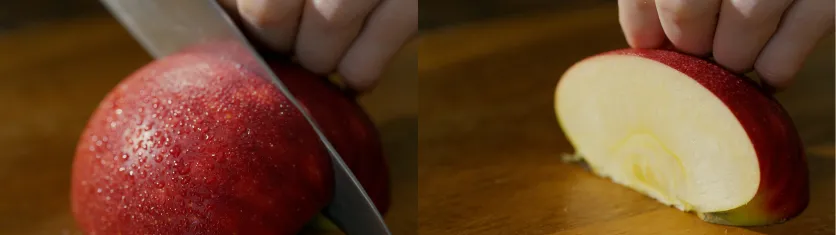
Yagishita: That’s right. If I just took a picture of the apple, it would look flat, so I sprayed it with a mist to add a sizzle. I used a semi-backlit light, so I think that’s how it gives off a sizzle and a three-dimensional feel.
And here too, I used the TAMRON Lens Utility Mobile Ver.4.0. I placed the focus points on the surface before cutting and on the cut surface to show. I won’t know the cut surface until I cut it, but I can just put the knife on it and make that the focus point. I cut the apple → move the knife → move the focus to the cut surface, and so on.
Even though it’s a macro lens, if you manually focus by turning the lens’s focus ring, you have to turn it at a very shallow angle. Therefore, if you turn the focus ring at a constant speed between those shallow angles, there’s a high chance that the image will shake. In that respect, I was able to perform accurate and precise focus work by using the Digital Follow Focus (DFF) *
of the TAMRON Lens Utility Mobile Ver.4.0. The screen isn’t shaking, is it? (laughs) Focusing with a macro lens is very delicate, so it’s always a headache, but this time, TAMRON Lens Utility Mobile Ver.4.0 made it easier.
* A function exclusive to TAMRON Lens Utility Mobile allows you to specify the focus range and perform focus control on your smartphone screen.
Editorial Department: You’ve made good use of the functions of TAMRON Lens Utility Mobile Ver.4.0. The focus work was very convincing.
Next we move on to the cut of the pot. It seems that Director Matsumoto was particular about the direction here as well, so how did you proceed with the filming?
TAMRON Lens Utility Mobile Ver.4.0 helps with accurate and precise focusing
Yagishita: I don’t think there was any difficult camera work throughout this scene. I used the AB focus of the TAMRON Lens Utility Mobile Ver.4.0. I set it to the pot in the foreground (A) and the ball in the background (B). I went back and forth between these two depending on the timing of the director’s instructions. Once I set the AB, all I had to do was decide the movement time and ease *1 , so I changed the settings several times to match the play. As I mentioned at the beginning, manual focus can sometimes fail in terms of blurring or accuracy, but thanks to the reliability of the TAMRON Lens Utility Mobile Ver.4.0, I was able to shoot without any unnecessary takes. I think I took three takes, but each one was shot at a different timing, and there were no mistakes.
*1 A method of expression that expresses natural movement by varying the speed of the start and end of the focus movement.
TAMRON Lens Utility Mobile Ver.4.0 reduces hassle and costs by using the right tool in the right place
Editorial Department: Thank you for praising TAMRON Lens Utility Mobile Ver.4.0. On the other hand, is there any case where it is not suitable for this type of shooting?
Yagishita: I think that is true. However, it is just that some of the functions of TAMRON Lens Utility Mobile Ver.4.0 do not work well with the content of the shoot. For example, if the characters are acting with ad-lib, their positions change slightly. In that case, I don’t think AB focus or focus stopper can be used because the focus plane is decided in advance. In this case, I think DFF can be utilized. Even if it is a play, I think AB focus and focus stopper are effective if the conversation proceeds while sitting in a chair or the focus plane is decided. By using TAMRON Lens Utility Mobile Ver.4.0, physical assistance such as lens gear and follow focus is not required, so the fact that it reduces effort and costs is a big advantage regardless of the shooting situation.
Delicate focus and production techniques expressed with TAMRON Lens Utility Mobile Ver.4.0
Editorial Department: Now, I would like to ask about the latter half of the scene. Director Matsumoto told me that the tempo was changed between the first and second halves, but how was it filmed?
Yagishita: The scene is the apple in the pot, and the pie crust and the brush. We used the focus stopper and DFF for both of these. The biggest concern was that if the spatula and the brush did not focus out of the screen, the transition to the next cut would be poor.
More specifically, the focus would be too much and the background would be in focus. To avoid this, we used TAMRON Lens Utility Mobile Ver.4.0 to mark the positions where the spatula and the brush enter and leave. This prevents the
focus from going out toward the background. The rest is manual operation. In the pot cut, while the camera was working to follow the movement of the spatula, we had an assistant use DFF to follow the focus.
The pie crust is a simple matter of focusing, but this can also be done precisely by pinching out (enlarging) the focus bar on the TAMRON Lens Utility Mobile Ver.4.0 . There are similar features in wireless follow focuses, but this function is so convenient in terms of intuitive operation that I felt it was one of a kind.
Scene transitions that look natural but incorporate many directing techniques
Editorial Department: I’d like to ask you about the scene where the pie is put into the oven and begins to bake. Is there any ingenuity in the transition *2from this blur?
2 A method of expression used to naturally connect scenes when changing between scenes, such as when changing between scenes.
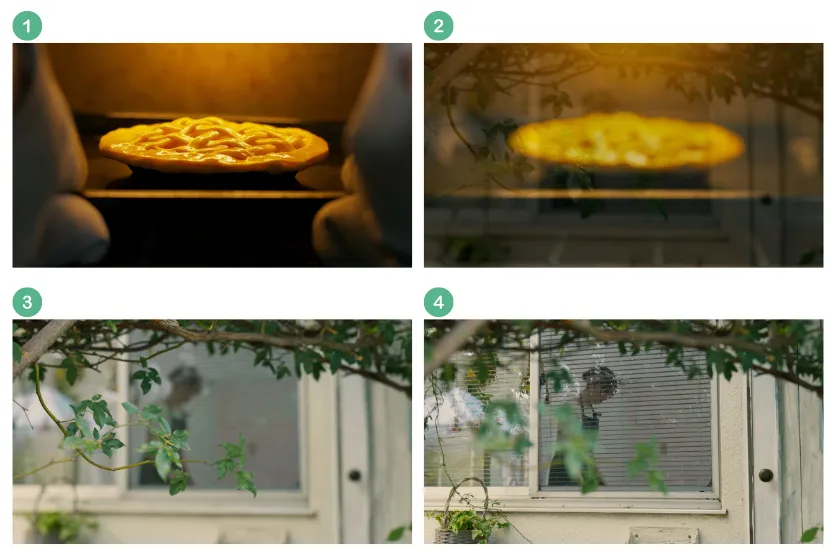
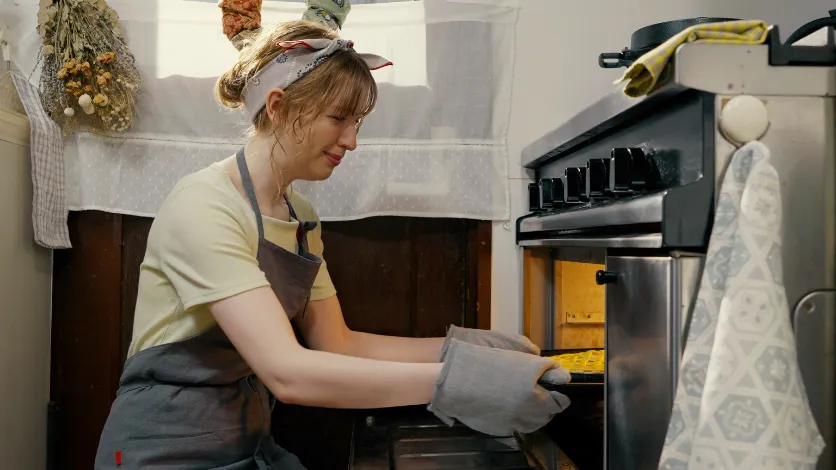
Yagishita: Actually, this kitchen is not a house studio, but is actually a used kitchen in an American house. There is no lighting inside the oven, so we installed tube-shaped LED lights as a production to create an atmosphere. Even if the oven is actually on, it doesn’t look like that (laughs).
Editorial Department: The lighting looked very natural, so I thought there was a built-in light.
Yagishita: Also, if you look at the position of the model in the previous cut, you can see that there is no space to set up a camera tripod, so we used a bead bag for filming to set up the camera on the oven lid and shoot. Since it is not fixed properly and the interior of the oven is also reflected, we used DFF here as well to do focus work.
The focus is moved forward to synchronize with the timing of putting the pie in the oven, but since it depends on the timing of the play, we decided to use DFF to work on the focus away from the camera and do the timing manually. We
asked the assistant to try it several times, but the timing was not good, so Director Matsumoto himself also operated it. In the end, we shot several takes, changing the timing and speed of the focus shift.
Editorial: After this, a long dissolve *3 leads to an outdoor scene.
*3 A type of transition. A method of expression in which the previous cut gradually fades out and the next cut fades in. Since the two cuts change as if they are blending together, it is used for flashbacks and scene changes that show the passage of time.
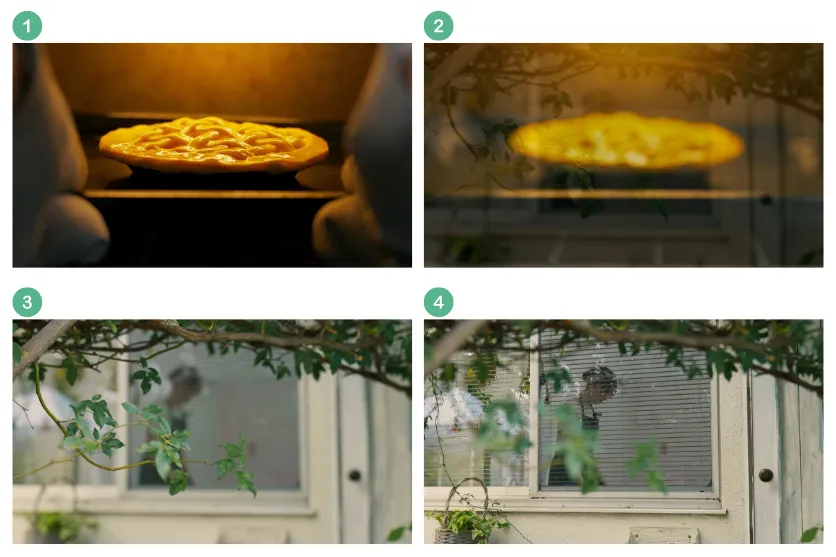
Yagishita: Yes, in fact, we shot this scene outdoors during the day, and the kitchen scene was shot after sunset, around 8pm (laughs). We didn’t have much time in terms of the shooting schedule, so we decided to shoot it quickly, and decided on the angle during our lunch break, and finished it in two takes at a good timing around the sun. We used the AB focus of the TAMRON Lens Utility Mobile Ver.4.0 here, so we never lost focus. We simply changed the time to send the focus between AB and took two cuts.
Editorial Department: The TAMRON Lens Utility Mobile Ver.4.0 was also used here. Director Matsumoto told us that the last cut was also shot using the TAMRON Lens Utility Mobile Ver.4.0, but how was it shot?
The final shot shows the potential of TAMRON Lens Utility Mobile Ver.4.0. In fact, it was a one-man operation.
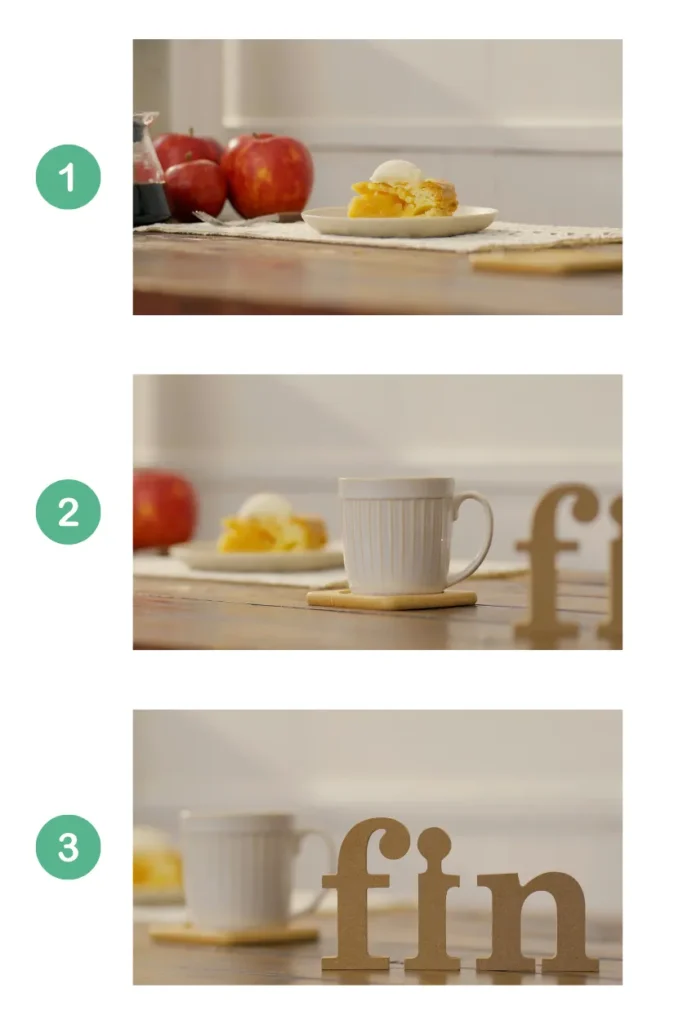
Yagishita: Yes, this is the real strength of the camera. I did an elaborate shoot by moving the camera sideways with the slider to focus. With a conventional lens, I don’t think it would have been possible to get such a beautiful shot if I had to move the slider while operating the focus. With TAMRON Lens Utility Mobile Ver.4.0, two people can operate the slider and the focus, but this time, I did it as a one-man operation, taking into account the experimental meaning. I operated the slider with one hand and the TAMRON Lens Utility Mobile Ver.4. screen with the other.
Editorial Department: So you deliberately took a photo by yourself, instead of shooting with two people?
Yagishita: Yes. Operating TAMRON Lens Utility Mobile Ver.4.0 itself is not that difficult, as you just tap the buttons on the smartphone app screen. It was much easier than manually turning the focus ring. This time, I set the three focus points to A, B, and C, and tapped starting with A, then B, C. Not only can you simply shift focus between A, B, and C, but you can also set an “ease curve” that brakes just before the focus is achieved. This allows you to create the illusion of the focus gradually coming into focus. I think this is also one way of working with natural focus.
Editorial Department: Indeed, it didn’t have the “beep” feel of autofocus, but looked like it was operated by a person. It’s a small thing, but it seems like that kind of ingenuity was hidden.
The new TAMRON 90mm F/2.8 Di III MACRO VXD (Model F072) is characterized by its lack of features, but it produces great images.
Regarding the sizzling pie that appears at the end, Director Matsumoto gave high praise to the macro lens used to shoot it. What was your impression as the photographer?
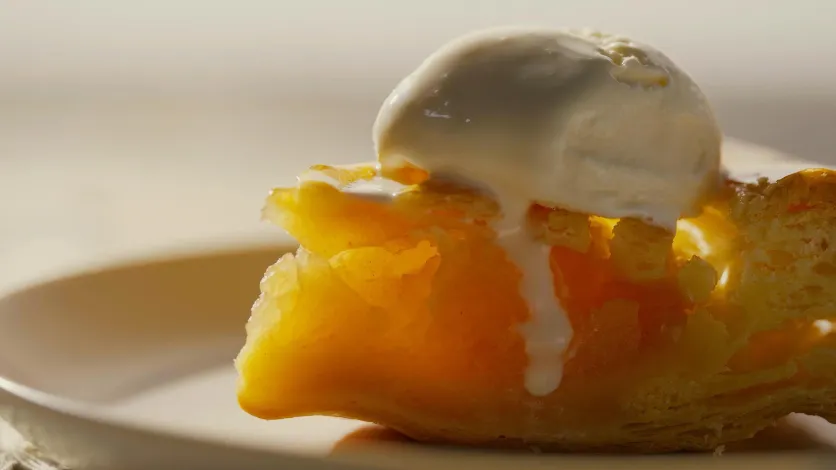
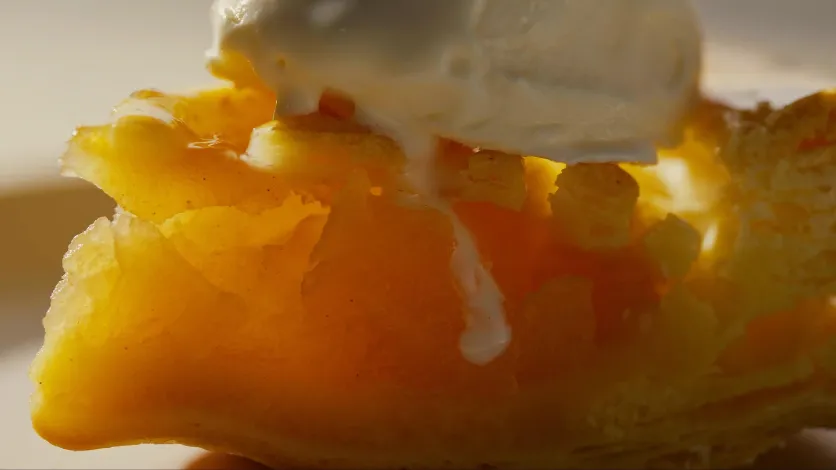
Yagishita: I personally really liked this lens (laughs). When it comes to macro lenses, there are many lenses that emphasize resolution and have a hard depiction, and they tend to be too sharp. I felt that
the lens we used this time, the TAMRON 90mm F2.8 MACRO, has a “delicate and soft depiction” and that its “characteristics” are that it has no outstanding features. It blends well with other lenses and cuts, and I feel it will produce good images not only for close-ups but also for portraits. The depiction was good both wide open and narrowed, so I think it can also be used as a medium telephoto prime lens.
By combining it with TAMRON Lens Utility Mobile Ver.4.0, I felt that it was able to fully utilize its performance on the close-up side. According to the developer of this application software, it seems that pinching out the focus ring on the mobile screen of TAMRON Lens Utility Mobile Ver.4.0 allows for more precise focus adjustment than rotating the focus ring on the lens.
Again, when I took a close-up shot of a pie, I found it easier to get the focus point by using the method I just mentioned, rather than using the ring. I think it would be effective for stop-motion animation, which requires precise focus.
Editorial: We’ve been talking about TAMRON Lens Utility Mobile Ver.4.0, and we’re honored that you’ve been using it so much. Thank you for this time.